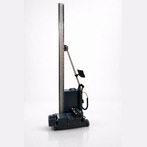
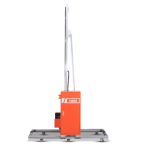
When evaluating a wall printing machine, one of the most commonly cited specifications is print speed—typically expressed as 2–6 square meters per hour (m²/hr). But what does this actually mean in real-world use? And why does the same machine sometimes deliver very different speeds depending on the job?
This guide breaks down the technical reality behind wall printer speed so you can interpret specs correctly and set realistic expectations.
What Does Print Speed Actually Mean?
m² per hour: how it’s measured
Wall printer speed is measured in square meters printed per hour, not linear distance or time per image.
In simple terms:
If a machine prints at 4 m²/hr, it can cover a 2m × 2m wall in roughly one hour (under ideal conditions).
This measurement assumes:
- Continuous operation
- Standard resolution settings
- Minimal interruptions or recalibration
However, this is a baseline metric, not a guarantee.
Why advertised vs. real-world speed differ
Manufacturers often advertise speeds under optimized conditions, which rarely reflect real job sites.
In practice, speed can vary due to:
- Surface irregularities requiring slower passes
- Higher resolution settings
- Multi-layer printing (especially with white ink)
- Operator adjustments during printing
So while a machine may be rated at 6 m²/hr, real-world output might drop closer to 2–4 m²/hr depending on complexity.
The 2–6 m²/hr Range Explained
This range isn’t random—it reflects different printing modes and scenarios.
Draft mode vs. high-resolution mode
Wall printers typically offer multiple quality settings:
- Draft mode (faster)
- Lower DPI
- Fewer passes
- Suitable for simple graphics or distant viewing
- High-resolution mode (slower)
- Higher DPI
- More ink layers
- Required for detailed artwork and close viewing
Draft mode can approach 5–6 m²/hr, while high-quality output may drop to 2–3 m²/hr.
Solid fills vs. detailed artwork
The type of image significantly impacts speed.
- Solid color areas
- Faster to print
- Require less precision and fewer micro-adjustments
- Detailed images (portraits, gradients, textures)
- Slower due to complex dot placement
- Require more passes and finer control
Highly detailed murals naturally push the machine toward the lower end of the speed range.
Color layers and pass count
Each additional layer increases total print time.
- Standard CMYK printing already involves multiple passes
- Adding white ink layers (especially on dark walls) can double the workload
- Some designs require layering for depth and vibrancy
More passes = slower effective speed
Variables That Affect Print Speed
Even within the same project, several external factors can influence how fast a wall printer operates.
Wall surface & texture
Surface quality directly affects movement and ink application.
- Smooth walls → faster, consistent printing
- Rough or textured surfaces → slower speeds due to distance adjustments
Sensors must constantly adapt, which reduces overall speed.
Ink type and drying time
Different ink technologies behave differently:
- UV-curable inks
- Dry instantly under UV light
- Allow faster printing
- Water-based inks
- Require drying time
- May slow down the process to prevent smudging
Ink choice plays a bigger role than many expect.
Machine model & motor quality
Not all wall printers are built the same.
- High-end machines use precision servo motors
- Better stability = faster, more consistent output
- Lower-end systems may slow down to maintain accuracy
Mechanical quality directly translates into real-world speed.
Final Thoughts
The 2–6 m² per hour range is a useful guideline—but it’s not a fixed number. It represents a spectrum shaped by quality settings, image complexity, surface conditions, and machine capability.
If you’re planning to use or invest in a wall printer, the key takeaway is this:
Print speed is always a trade-off between quality and efficiency.